

Community Management
5 tools for managing an online community effectively
Compare five top tools for managing online communities—engagement, moderation, events, and analytics to find the best fit for your needs.

February 9th, 2026
•
14 min read
5 tools for managing an online community effectively
Managing an online community can be tough. From keeping members engaged to moderating discussions and organizing events, the challenges are real. But the right tools can simplify these tasks and help your community thrive. Here’s a quick rundown of five tools that tackle key aspects of community management:
- Zenao.io: Combines event management, digital ticketing, and decentralized governance.
- Discourse: Open-source forum software with AI tools for moderation and analytics.
- Eventbrite: Simplifies event planning, ticketing, and attendee engagement.
- Slack: Real-time communication platform with channels, huddles, and app integrations.
- Commsor: Centralizes engagement data across platforms with advanced analytics.
Each tool offers unique features to address specific community needs, from fostering discussions to tracking activity and managing events. Below is a quick comparison to help you choose the best fit.
Quick Comparison
| Tool | Engagement Features | Governance/Moderation | Event Management | Analytics | Pricing |
|---|---|---|---|---|---|
| Zenao.io | Social features, member profiles | Decentralized governance, DAOs | Digital ticketing, event tools | Real-time metrics | Free (Basic); Pro pricing TBD |
| Discourse | Forums, badges, live chat | AI moderation, trust levels | Limited native event features | User activity, sentiment analysis | Free (self-hosted); $20+/mo |
| Eventbrite | Event pages, email marketing | Basic attendee management | Full event lifecycle tools | Ticket sales, marketing insights | Free for free events; fees apply |
| Slack | Channels, huddles, integrations | Searchable transcripts | Integration-dependent | Basic activity tracking | Free; Pro at $7.25/user/mo |
| Commsor | Cross-platform tracking, matching | Moderation through integrations | Integrates with event platforms | Advanced engagement insights | Pricing not disclosed |
Choosing the right tool depends on your community’s priorities - whether it’s event management, real-time communication, or in-depth analytics. Test free trials or basic plans to find the best fit for your needs.
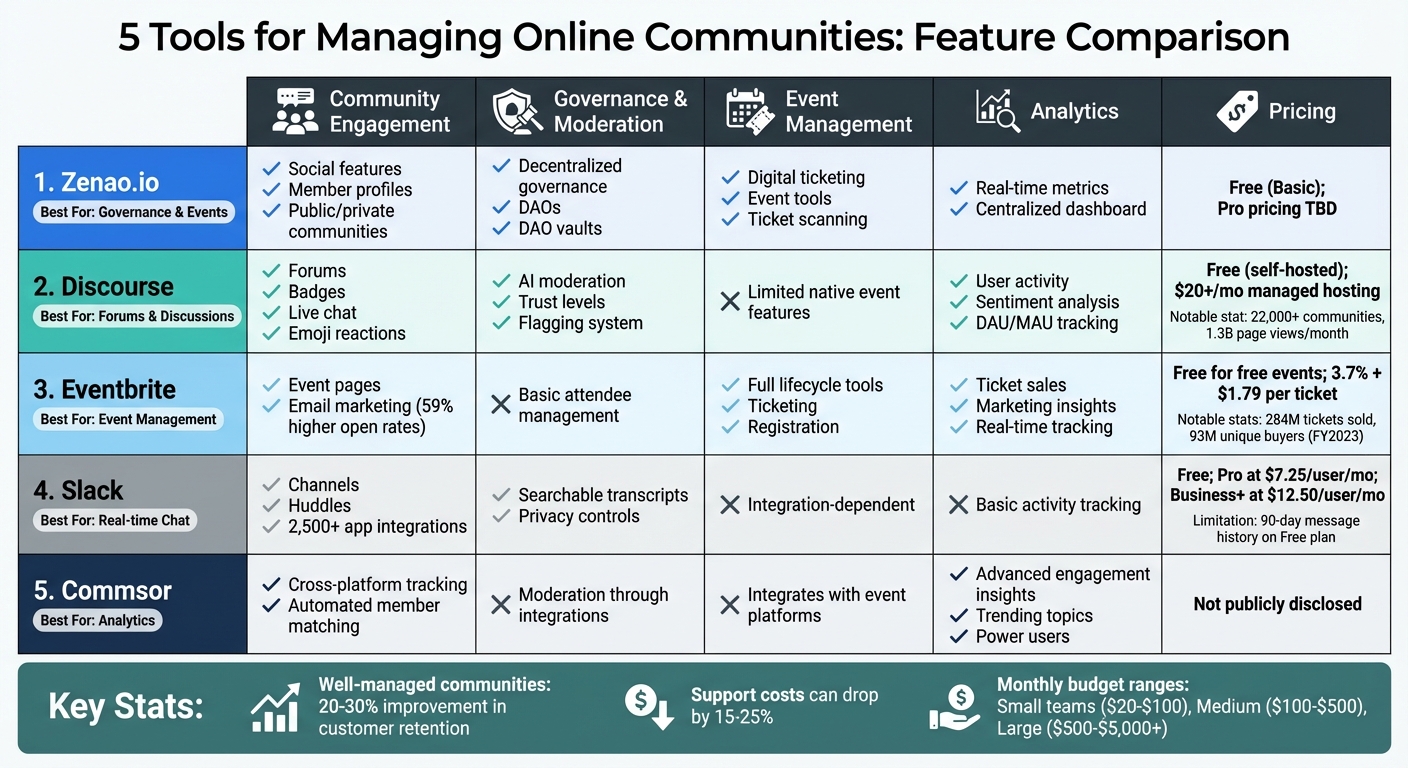
Comparison of 5 Online Community Management Tools: Features, Pricing & Analytics
5 Best Online Community Platforms 2025 (Full Demo & Comparision)
1. Zenao.io
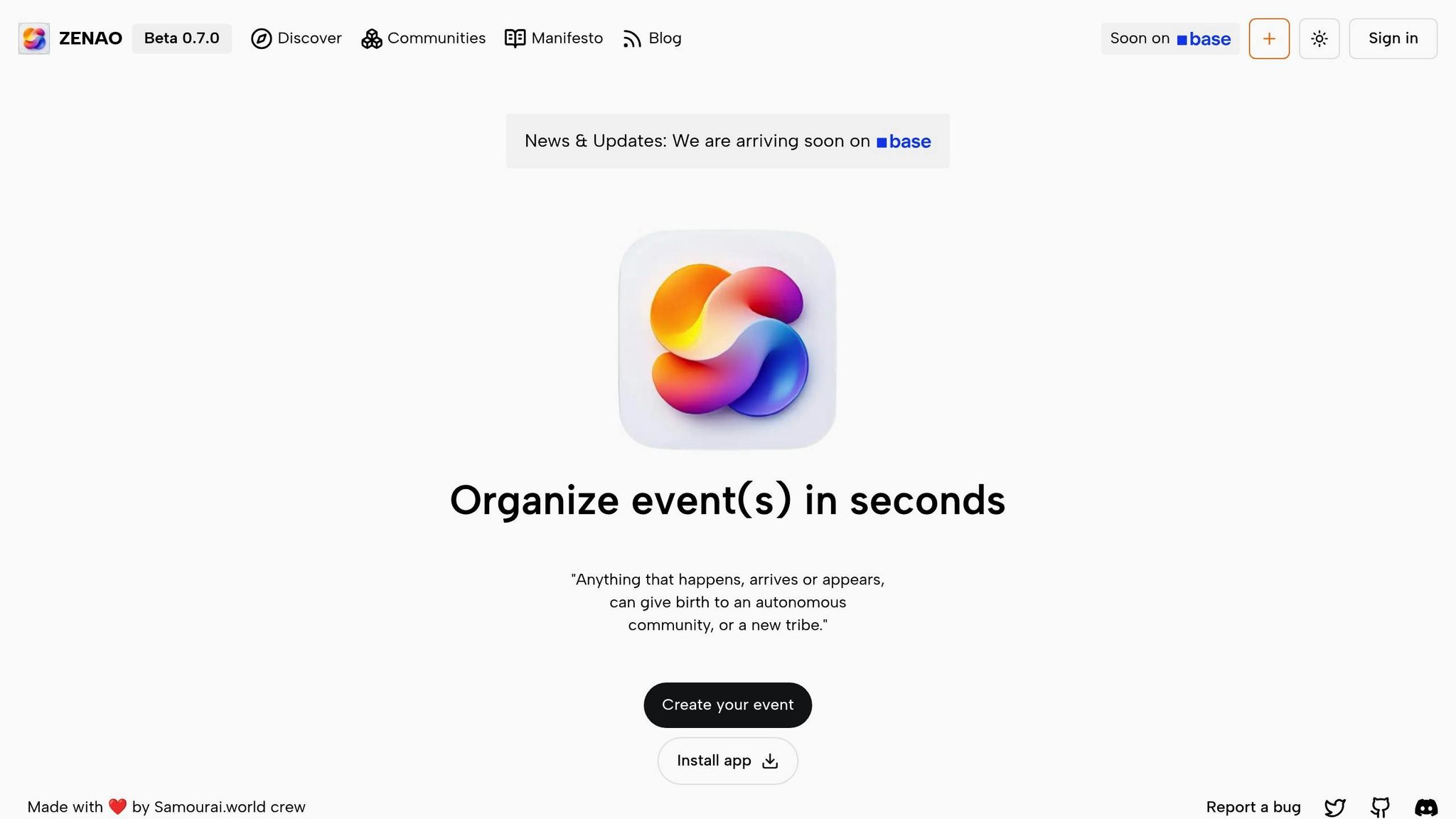
Zenao.io, developed by the Samouraï Coop team, is a decentralized platform that combines event management, digital ticketing, and governance. It’s designed to give community managers complete control over their data and operations.
Community Engagement Features
This platform creates a vibrant community space where members can share messages, images, videos, and polls. Users can build profiles, connect with others, and join both public and private communities. Plus, a discovery feature helps match members with events and groups that align with their interests.
Governance and Moderation Tools
Zenao.io uses a decentralized governance system to enforce community rules, mediate disputes, and guide discussions in a productive direction. Upcoming updates promise DAO templates and a modular DAO structure, enabling communities to manage crypto-funds through DAO vaults.
Event Management Capabilities
From start to finish, Zenao.io simplifies event management with digital ticketing and integrated scanning tools. It supports both public and private events, with future updates set to include Stripe payment options, cryptocurrency integration, and private event capabilities enhanced by zero-knowledge proofs for greater privacy.
Analytics and Reporting Functionalities
A centralized dashboard provides real-time metrics and detailed visualizations, offering insights into growth and member engagement. These tools help community managers make data-driven decisions.
Next, we’ll take a closer look at Discourse, a platform tailored for fostering community discussions.
2. Discourse
Discourse is an open-source platform that supports over 22,000 online communities worldwide. In November alone, its managed hosting handled 1.3 billion page views and 2.1 million posts. Users can choose between free self-hosting or managed hosting plans starting at $20 per month.
Community Engagement Features
Discourse is designed to create lively and seamless interactions within communities. Its on-demand content loading with infinite scroll keeps conversations flowing smoothly. Members can engage through features like emoji reactions, custom badges to reward positive behavior, polls, and even community-edited wikis. A unique trust level system ensures that new users start with limited permissions - like being unable to post links - until they earn trust through meaningful participation. On top of that, AI-powered tools enhance the user experience with features such as automatic translations for more than 49 languages, semantic search for contextually relevant topics, and AI-generated summaries to break down lengthy discussions. Discourse also bridges the gap between long-form discussions and real-time connections by incorporating live chat channels.
Governance and Moderation Tools
Discourse offers advanced moderation tools to keep communities healthy and respectful. Posts flagged three times are automatically hidden, and moderators can manage content through a centralized review queue supported by scoring algorithms. Additional features like slow mode and AI-driven toxicity detection help maintain a positive environment.
In 2024, Colin Mueller, Community Manager at Sonar Source, shared his experience with Discourse's AI-powered spam detection:
"I can't emphasize how good the AI-based spam detection is. It is 99% accurate, and the few times it isn't, the prompt is easily adjusted to handle it".
The AI processing costs for this feature were impressively low, totaling just $0.15 over a 10-day period.
Analytics and Reporting Functionalities
Discourse provides an admin dashboard that tracks critical metrics like daily active users (DAU), monthly active users (MAU), engagement rates, and churn. It also uses AI for sentiment analysis and automated trending reports to give admins deeper insights. For top-performing communities, a member stickiness ratio (DAU/MAU) of at least 20% is often the benchmark for success.
Up next, Eventbrite offers tools specifically designed for organizing community events.
3. Eventbrite
Managing events effectively is crucial for building an active and engaged online community. Eventbrite serves as a versatile platform for organizing virtual, in-person, and hybrid events. In 2022, the platform supported nearly 800,000 event creators, facilitating the sale of over 284 million tickets across 5 million events in nearly 180 countries. By FY2023, Eventbrite attracted 93 million unique ticket buyers.
Event Management Capabilities
Eventbrite simplifies event planning with tools designed to save time and enhance efficiency. Its AI-powered copywriting feature generates event descriptions, summaries, and social media ad content, helping organizers launch campaigns up to 30% faster. The platform also offers flexible ticketing options, such as early bird pricing, group discounts, VIP packages, and promo codes. For more complex setups, organizers can enable timed entry and reserved seating using custom venue maps.
For virtual events, Eventbrite integrates effortlessly with platforms like Zoom, Vimeo, Facebook Live, YouTube, and Twitch. On the ground, the Organizer app streamlines logistics with features like mobile ticket scanning, quick attendee check-ins, and the ability to sell merchandise or add-ons such as t-shirts, parking passes, or food vouchers.
"Managing different concerts in Spain has been so successful with Eventbrite - and it's easy to sell band T-shirts and merchandise in just a few clicks", shared Asier Lozano, Marketing Director at dod Magazine.
Next, let’s explore how Eventbrite keeps communities connected and engaged.
Community Engagement Features
Eventbrite goes beyond event management by helping organizers build lasting relationships with their audience. Branded Organizer Profiles act as a central hub for all events, enabling community members to follow organizers and receive automated updates about upcoming activities. Its email marketing tools allow up to 10,000 daily sends with no contact limits and boast open rates 59% higher than the industry average. Creators using these tools sell an average of 63% more tickets, and personalized recommendations in Eventbrite’s app and newsletters account for one out of every four tickets sold.
Additionally, organizers can embed a checkout feature directly into their websites, allowing attendees to purchase tickets without navigating away from the page.
"One of my biggest challenges is creating and growing a community when I'm the new kid on the block. [The solution is to] engage frequently and regularly with your community. Eventbrite's tools help make it easy", said Marquita René, Founder of Black Velveteen Yoga.
Analytics and Reporting Functionalities
Eventbrite also equips organizers with powerful analytics to measure and improve their events. Real-time dashboards in the Organizer app allow 24/7 tracking of ticket sales and attendance. The Attendee Summary Report provides demographic insights and details about attendee preferences, enabling organizers to fine-tune their future events.
To measure marketing performance, Eventbrite supports tracking pixels for Facebook, Google, and Twitter, as well as custom links to identify which promotional partners drive the most sales. For example, Nasstive Entertainment reported earning $5.58 for every $1 spent on Eventbrite Ads using geo-targeting data. Bar Crawls Boston used data segmentation to identify distinct audience groups, tailoring their social media and email campaigns accordingly. These insights help organizers refine ticket pricing, predict demand, and adjust promotional efforts for better results.
Eventbrite pricing starts at no cost for free events (no service fee). For paid events, the platform charges 3.7% + $1.79 per ticket, along with a 2.9% processing fee.
sbb-itb-8eb1bfa
4. Slack
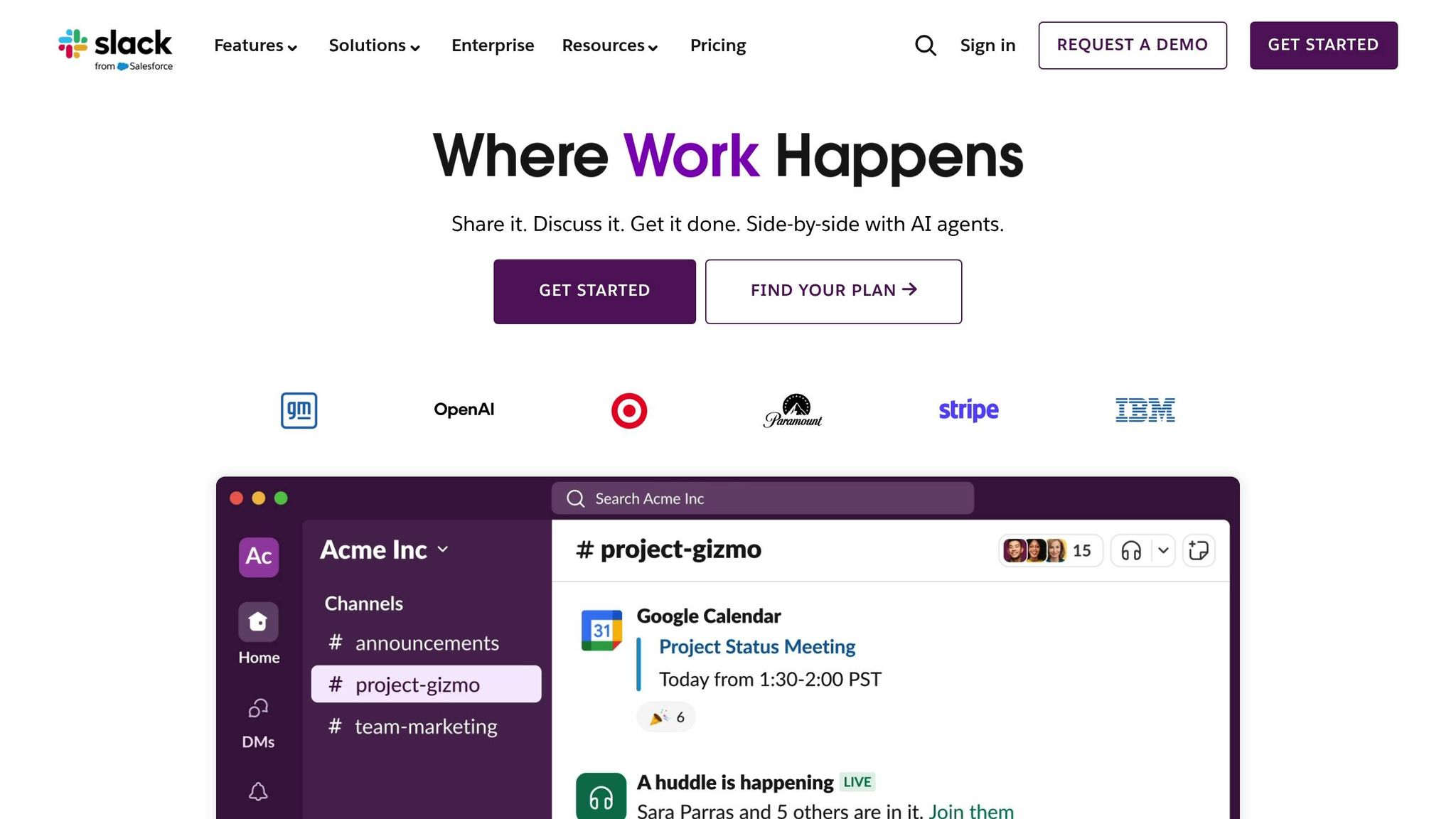
Slack is a go-to platform for many top organizations worldwide. Originally created for workplace collaboration, its structured channels and real-time communication features make it a strong option for managing fast-moving online communities. Like other tools in this space, Slack blends effective communication with moderation tools to keep communities active and organized.
Community Engagement Features
Slack organizes discussions into dedicated channels, keeping conversations focused and easy to follow. It also offers Huddles - a feature for audio and video calls with screen-sharing, ideal for real-time brainstorming. Threaded conversations help keep discussions tidy, avoiding clutter in the main channels.
Emoji reactions go beyond simple feedback; they can trigger automated workflows or mark task progress. With access to over 2,500 apps in the Slack Marketplace, communities can expand their functionality with tools for tasks like recognition, polls, and project management. In fact, a study by Spoke found that 70% of service requests are submitted through Slack when employees have the option. Plus, Slack's slash commands, like /halp, allow users to perform actions such as launching polls or reporting issues with just a few keystrokes.
Governance and Moderation Tools
Slack makes moderation manageable with searchable transcripts of all conversations, allowing moderators to quickly locate and review past discussions. Its channel organization supports both active dialogue and structured communication. Privacy controls let community managers create private spaces for sensitive topics or specific member groups. Additionally, Slack Connect facilitates secure collaboration with external organizations or partners in shared channels.
However, the Free plan only retains 90 days of message history, which could be a limitation for communities that need long-term access to past conversations. For larger communities, costs can escalate quickly - managing a professional community of 500 members on the Pro plan could run about $4,375 per month.
Analytics and Reporting Functionalities
Slack includes built-in analytics tools for workspace administrators to track general activity. For more advanced insights, third-party apps from the Slack Marketplace, like survey tools, provide detailed dashboards and allow exporting data as CSV files for further analysis. Emoji feedback also contributes to understanding member sentiment.
For deeper tracking, Slack integrates with Association Management Software (AMS) or CRM platforms, syncing engagement data across systems. However, it doesn’t offer the advanced analytics features found in dedicated community platforms, such as retention tracking or public-facing metrics. Even so, Slack’s combination of real-time communication and data tools helps streamline community management.
Slack’s pricing starts with a Free plan, which includes 90 days of message history, 10 app integrations, and 1:1 audio and video calls with screen sharing.
5. Commsor
Commsor acts as a Community Operating System, bringing together data from platforms like Slack, Discord, and social media into a single, streamlined dashboard. This integration gives managers a complete view of their community’s activity without the hassle of juggling multiple tabs. The result? A clearer understanding of engagement trends and opportunities.
Community Engagement Features
One standout feature is automated member matching, known as "Matches." This tool simplifies peer networking by identifying and connecting members who might benefit from knowing each other. Instead of manually facilitating introductions, Commsor handles the process, making it especially useful for professional communities where building relationships is key.
Another highlight is its ability to track engagement across various platforms simultaneously. For example, if a community member is highly active on Discord but less so on LinkedIn, Commsor captures both data points in one place. This cross-platform engagement tracking ensures that even the most active contributors, regardless of the platform they prefer, don’t go unnoticed. This makes it easier to acknowledge and reward community members who are driving value.
Analytics and Reporting Functionalities
Commsor doesn’t stop at engagement tracking - it also provides powerful analytics to help community managers gauge overall health and effectiveness. These analytics offer insights into trends, key contributors, and activity levels, serving as a central hub for monitoring both community well-being and its alignment with organizational goals.
From tracking trending topics to identifying power users, Commsor equips managers with the tools to connect community activity to broader strategies, such as decentralized governance and event planning. It’s not just about knowing who’s participating - it’s about understanding how those interactions contribute to the bigger picture.
Tool Comparison
To help you find the right fit for your community, here's a side-by-side comparison of popular tools, focusing on their features for engagement, governance, events, analytics, and pricing. This analysis builds on earlier discussions about managing events, fostering communication, and supporting decentralized governance.
| Tool | Community Engagement | Governance & Moderation | Event Management | Analytics | Pricing |
|---|---|---|---|---|---|
| Zenao.io | Public/private communities, social features (messages, images, videos, polls), social profiles | Distributed governance system, DAO-vaults for crypto-fund management, modular DAO architecture | Event creation and management, digital ticketing, ticket scanning | Includes essential analytics | Free (Basic), Pro and Enterprise pricing TBD |
| Discourse | Forum-based discussions, threaded conversations, badges, and gamification | Customizable moderation workflows, trust levels, flagging system | Limited native event features | Community health metrics, user activity tracking | Free (self-hosted), managed hosting available |
| Eventbrite | Attendee networking features, customizable event pages | Basic attendee management | Full event lifecycle management, ticketing, registration, and promotional tools | Event performance metrics, ticket sales data | Free for free events; service fees apply to paid events |
| Slack | Channels, direct messaging, and huddles | Basic administrative controls | Integration-dependent | Limited native analytics | Free (Basic), Pro at $7.25/user/month, Business+ at $12.50/user/month |
| Commsor | Cross-platform engagement tracking, automated member matching | Basic moderation through integrations | Integrates with event platforms | Comprehensive engagement analytics, trending topics, and power user identification | Pricing not publicly disclosed |
Each tool in the table addresses different aspects of community management, from engagement and governance to analytics and event handling.
As we look ahead to 2026, many tools are incorporating automation, AI insights, and streamlined workflows. Your decision should hinge on whether your community needs advanced AI-driven governance or simpler, more straightforward moderation options.
Conclusion
Managing an online community involves a mix of tasks: engaging members, moderating discussions, organizing events, and keeping track of activity. The tools we’ve discussed here tackle different aspects of these challenges. Zenao.io combines event management, governance, and social features into one platform. Discourse is ideal for creating searchable knowledge bases with its threaded discussions. Eventbrite simplifies the entire event lifecycle, from registration to ticket sales. Slack is perfect for real-time communication with its channels and direct messaging. Lastly, Commsor provides in-depth analytics to monitor engagement across platforms.
Choosing the right tool comes down to understanding your community's priorities. If governance and member input are key, look for platforms with robust moderation and voting systems. For event-heavy communities, tools with strong ticketing and event promotion features are a must. If fast-paced collaboration is the focus, real-time chat functionality should be at the top of your list. These needs will also guide decisions about costs and team requirements.
Budget and team size play a big role too. Smaller teams often spend between $20–$100 per month and benefit from simple, easy-to-use tools that don’t require extensive training. Medium-sized teams (5–25 members) may invest $100–$500 monthly in platforms with advanced analytics and workflow features. Larger enterprises with 25+ members typically allocate $500–$5,000+ per month for custom integrations and top-tier security.
When matched to the right tools, well-managed communities can drive real business results - customer retention can improve by 20–30%, and support costs can drop by 15–25%. These outcomes stem from tools that reduce administrative burdens, make participation easier, and unify scattered workflows. Aligning your tools with your community's challenges is the foundation for long-term success.
Before committing, review the comparison table above and take advantage of free trials or basic plans to see which platform fits best for your needs. Testing is key before upgrading.
FAQs
How can I pick the right tool to manage my online community?
To find the right tool for managing your online community, start by pinpointing your main objectives. Are you aiming to boost engagement, streamline moderation, analyze community activity, or scale your operations? Once you’ve nailed down your priorities, focus on tools that shine in areas like engagement (features for scheduling posts and encouraging discussions), moderation (tools like filters and permission settings), analytics (dashboards for tracking sentiment and activity), and scalability (options like referral programs and flexible pricing plans).
You’ll also want to think about some practical aspects, such as:
- Features: Does the tool address your community's specific needs?
- Integration: Can it seamlessly connect with your existing systems, like CRM or email platforms?
- Cost: Is it budget-friendly? For instance, smaller groups might find $49/month reasonable.
- Ease of use: Is the interface user-friendly for both admins and members?
- Security: Does it meet compliance standards like GDPR or SOC 2?
Once you’ve narrowed down your choices, take advantage of free trials to test them out. Set clear goals - like increasing active user participation or cutting down the time spent on moderation - to measure each tool’s performance. The solution that fits your needs, budget, and performance benchmarks will ultimately be the best choice for your community.
What are the main differences in analytics features across these tools?
The analytics features in community management tools can range from simple activity monitoring to more advanced, data-focused insights. Some tools stick to the basics, offering dashboards that track member activity and engagement patterns. Others go a step further with features like AI-driven sentiment analysis, churn prediction, and ROI tracking for community efforts.
For instance, some platforms focus on core metrics such as the number of active members, post performance, and content reach. These are great for straightforward reporting. Meanwhile, more advanced tools provide in-depth insights, including real-time data, detailed segmentation, and predictive analytics. These capabilities allow managers to make more informed, strategic decisions. Choosing the right tool depends on the depth of analytics and functionality your community needs.
What tool is best for managing events in an online community?
Bevy is a leading platform for managing events within online communities. It comes packed with tools to handle everything from hosting hybrid and virtual events to managing ticketing, RSVPs, and even syncing with CRMs. It also streamlines communication through automation and allows you to assign specific roles to team members for better collaboration.
What sets Bevy apart is its detailed analytics dashboards, which provide a clear view of event performance and attendee engagement. These features are built to simplify the planning process, making it easier for community managers to save time while ensuring a smooth and enjoyable experience for participants.